Support for busy teams
FrontDesk started with community support. We brought conversations from your community into one place, helping your team keep track of questions and get customers answers.
Since then, how we think about FrontDesk has changed. We're building for teams where the people answering customer questions are also building the product, fixing bugs, and running the business. Support is part of your day, but it can't take all of it.
That focus has shaped this update. FrontDesk is becoming a support teammate that helps move conversations forward, with your team in control. Finding an answer, connecting a customer issue to engineering work, and following up when there's progress are all part of the job.
Today, we're introducing the biggest update to FrontDesk yet.
Meet Support Intelligence
Support Intelligence used to wait for you to ask for help. You could open a conversation, ask a question, and get a draft reply. Now, it's an autonomous support agent that can pick up customer conversations and handle them through to resolution.
It reads incoming messages, finds answers in your documentation and past conversations, and responds within the permissions you've set. Support keeps moving while your team is busy elsewhere, without someone having to prompt it at every step.
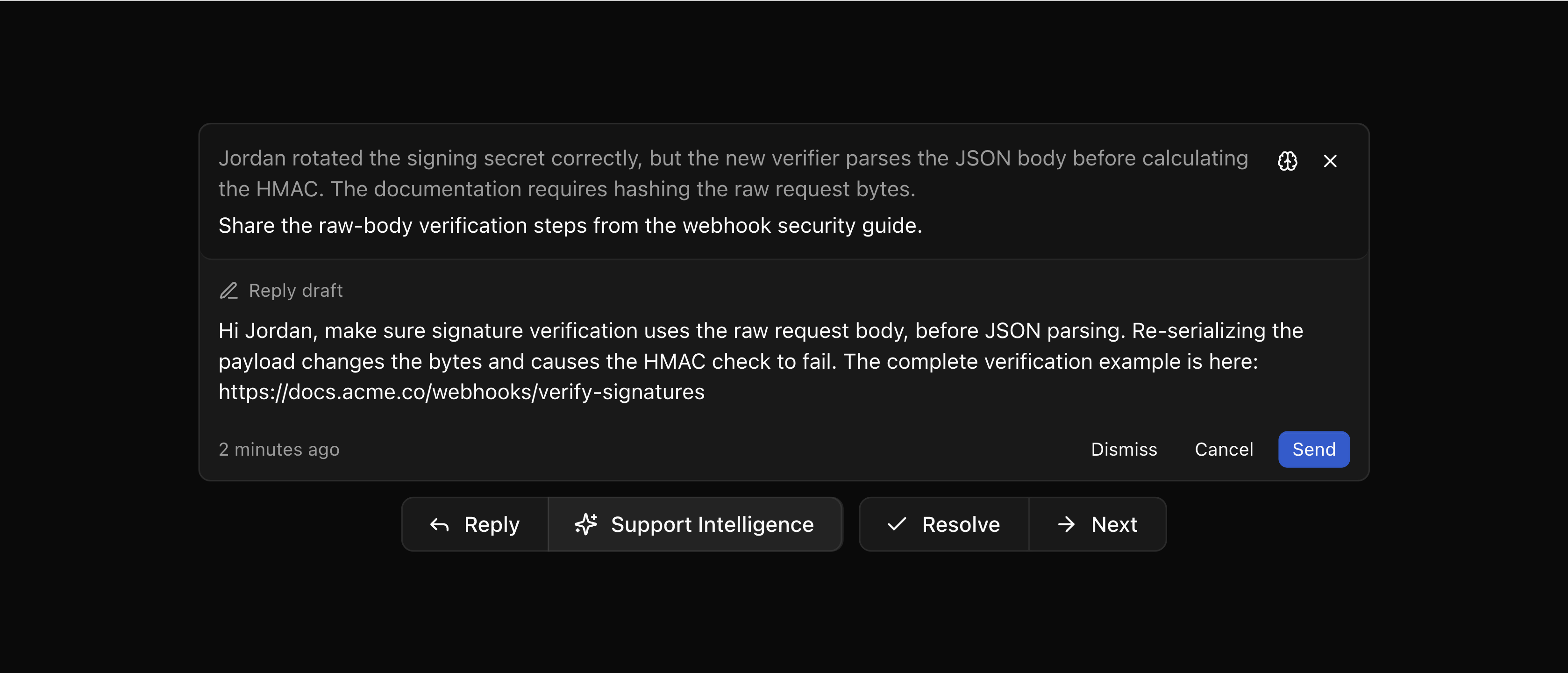
Knowing when to involve you is part of the job. When it doesn't have enough information or a conversation needs human judgment, Support Intelligence brings it back to your team with context and a suggested next step. You can review its reasoning, edit a proposed reply, or take over the conversation.
Decide what Support Intelligence handles
You choose how much to delegate. Set each type of action to Off, Suggest, or Auto. Let Support Intelligence organize threads and update statuses on its own while keeping replies for review, or let it send supported answers directly to customers.
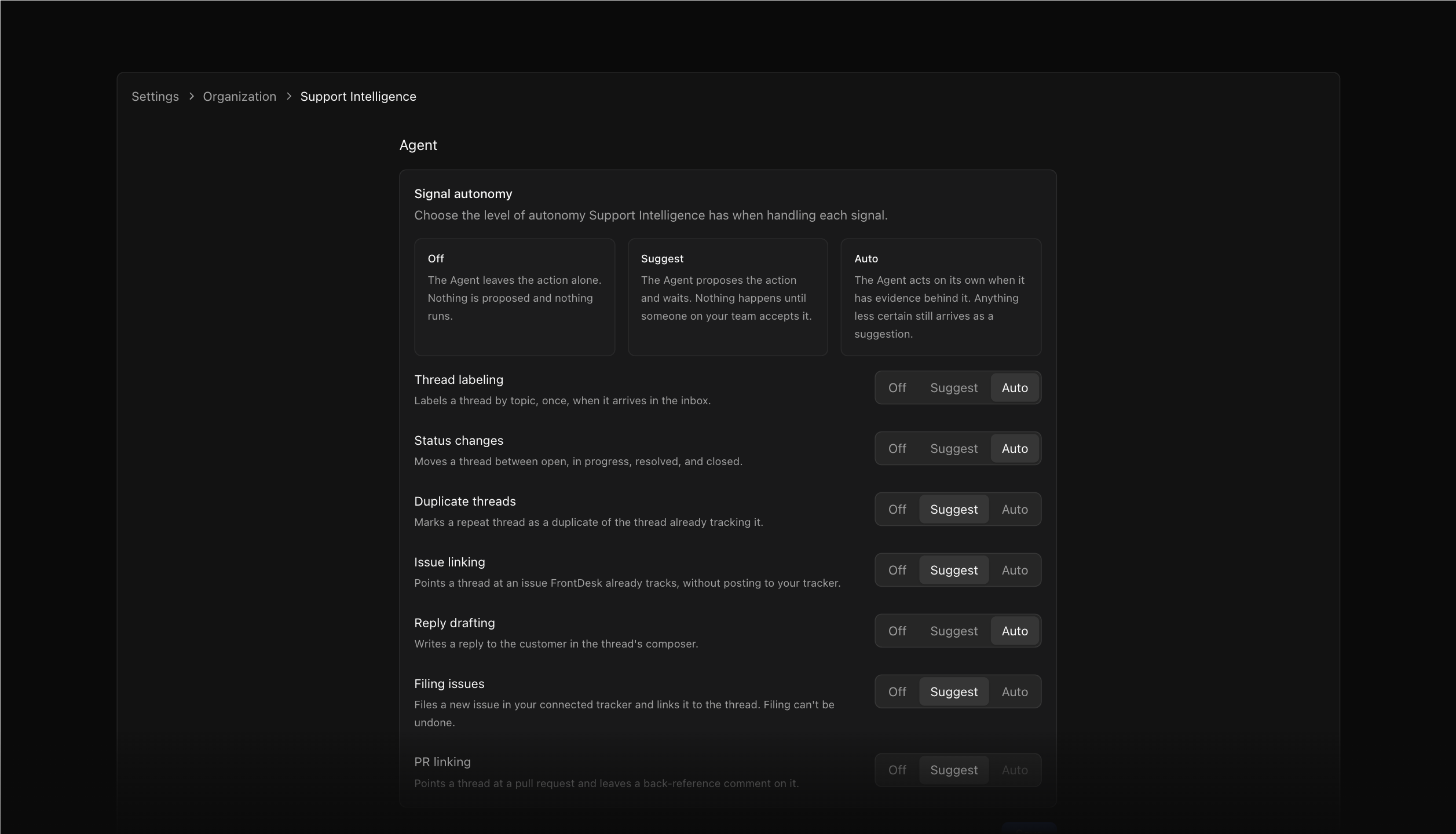
Auto still has boundaries. Replies backed by your documentation and updates about linked engineering work can go out automatically. Anything that needs more context stays with your team for review.
Start with suggestions and enable more automation as you get comfortable. The activity log shows what Support Intelligence has done, so you can keep up with the work you've delegated.
A clearer view of what needs you
The redesigned Signals page brings the conversations that need your input into one place. Each recommendation includes a summary of what's happening, why Support Intelligence is suggesting a next step, and the actions ready for your review.
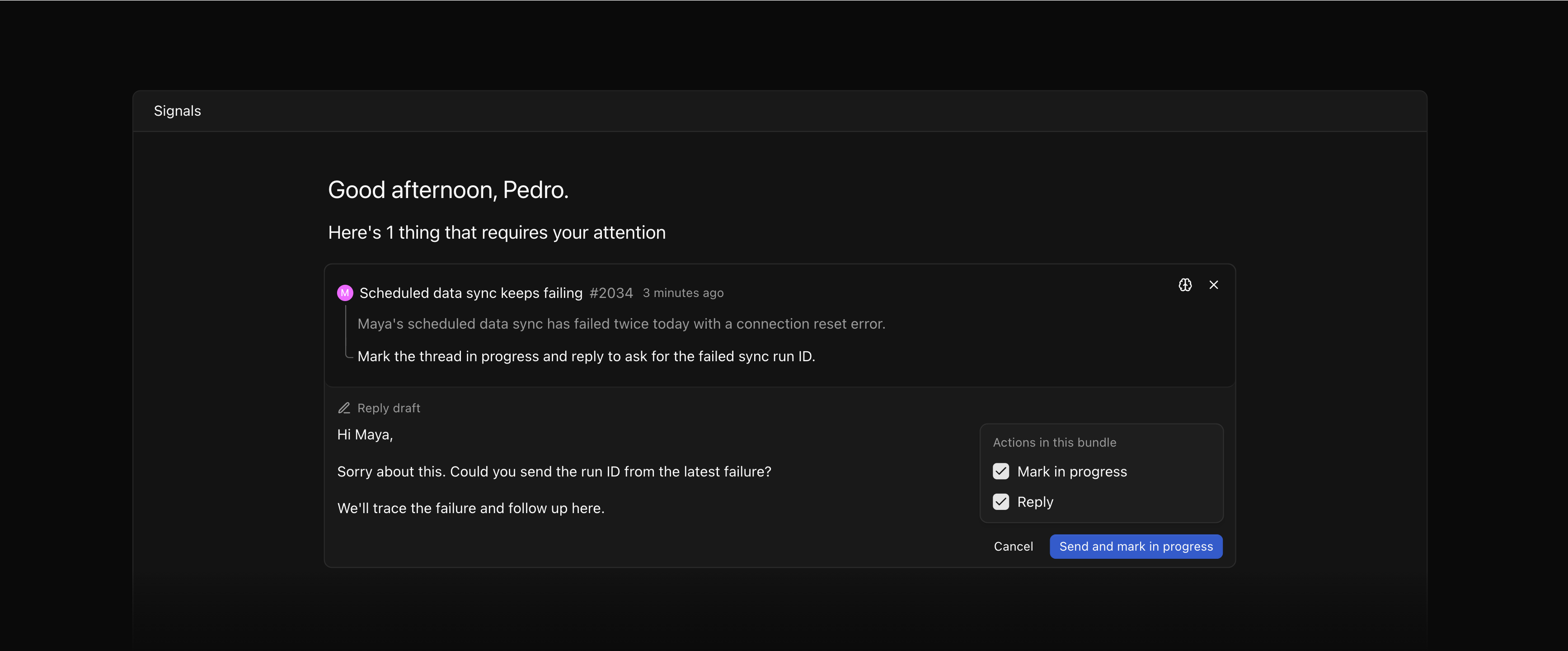
A reply and its accompanying status change now appear together, so you can review them in context. Choose which actions to accept, adjust the draft, and move the conversation forward without working through separate suggestions one by one.
You can also review recommendations inside the thread itself, with quick label suggestions available directly in the toolbar.
Connect customer problems to engineering work
When a customer reports a bug, the fix may already be underway. Support Intelligence can find relevant GitHub pull requests and suggest linking them to the conversation, helping your team see what's being worked on before starting another investigation.
It can also suggest linking an existing issue or filing a new one when the problem needs engineering attention. The issue stays connected to the original conversation, giving your team the customer context behind the work.
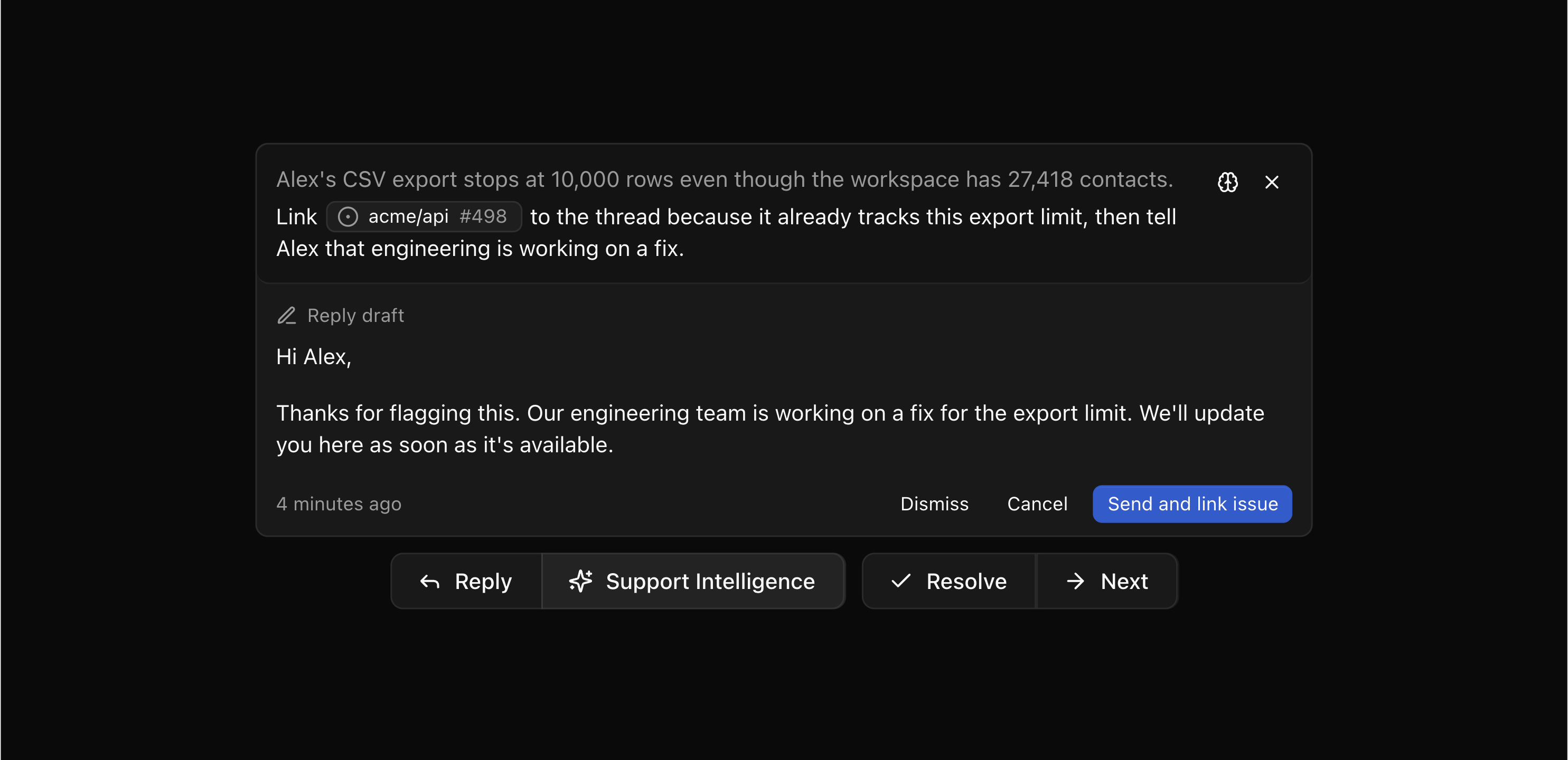
Linked issues and pull requests show their current details alongside the thread. Check their status and preview the work without leaving the conversation.
Follow up when the fix lands
Shipping a fix is only part of closing a customer conversation. Someone still needs to go back and tell them.
When a linked pull request merges or an issue is completed, Support Intelligence revisits the conversation and prepares a follow-up based on the outcome. Depending on your settings, it can send the update and resolve the thread on its own, or leave both actions ready for review.
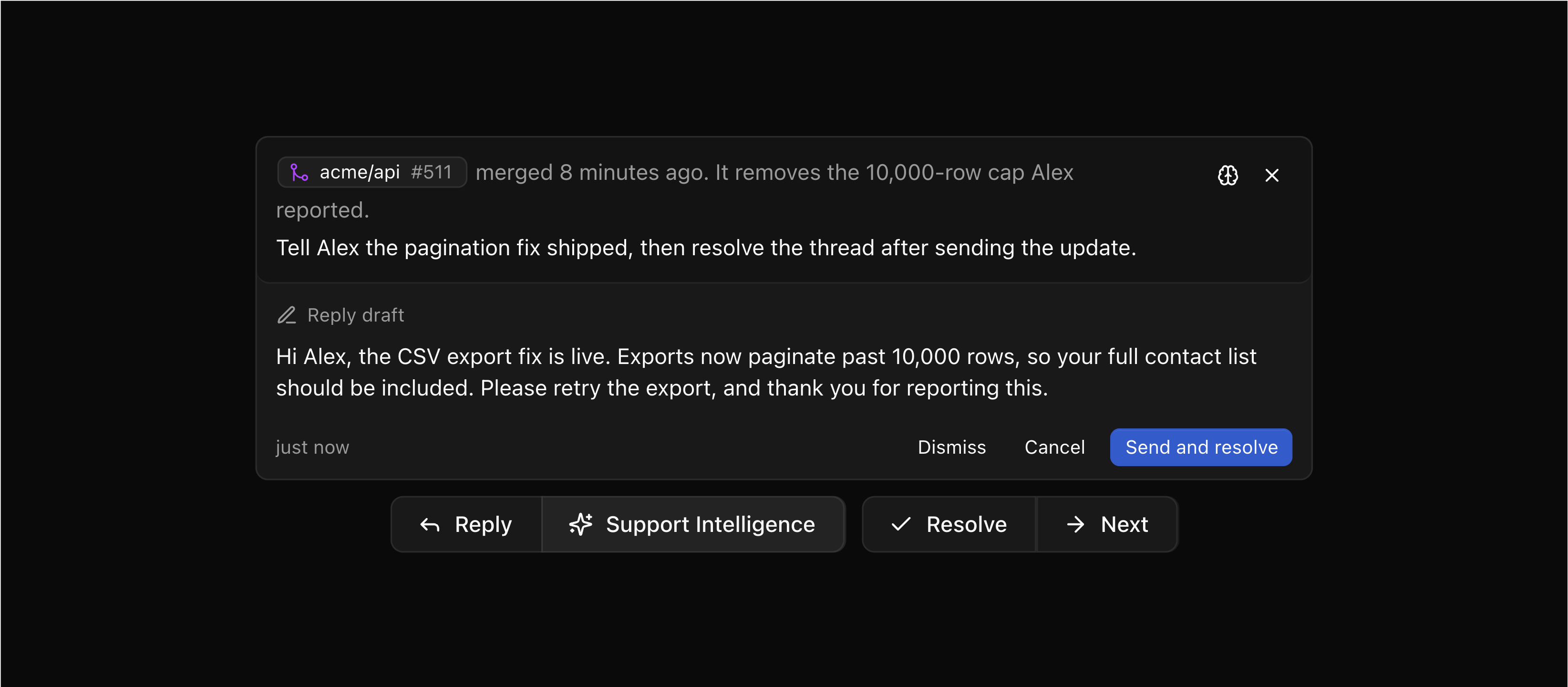
A closed issue doesn't always mean the problem was fixed. If the work was declined or the outcome is unclear, Support Intelligence brings it to your team for review. The customer gets a reply before the thread is resolved.
Sunsetting the public support portal
We've disabled the public support portal so we can focus on what adds the most value for busy teams handling support. Maintaining the portal alongside the rest of FrontDesk would spread our efforts across more of the product, reducing the quality and care we can put into each part.
For now, we're focusing on support through connected channels and the embedded widget. The portal may return if we find that it adds value to this direction.
Customers can no longer view, create, or reply to conversations through the portal. Conversations in FrontDesk are private to your workspace. Connected support channels and the widget remain available, with visibility in Discord and Slack determined by those channels' settings.
Existing public portal links now show a retirement notice. If you've linked to the portal from your website or documentation, update those links to point customers to your support channel or in-app widget.
Other improvements
- Thread, issue, and pull request links now appear as readable chips, with previews where available, in conversations and the editor.
- Slack replies now format links correctly, and synced conversations show updated author names and profile photos.
- Improved automatic reconnection helps your workspace recover from interrupted connections. Timestamp fixes keep conversation times consistent across time zones.
- Private API keys let you authenticate access to workspace data for your own tools and integrations.
Support Intelligence Chat
Support Intelligence is now a conversational AI assistant. Open the panel directly from the thread toolbar to get instant help without leaving your current context.
Ask questions about the thread, request a draft reply, or get suggestions based on your documentation — the AI understands the full conversation and can search your knowledge base to craft informed responses.
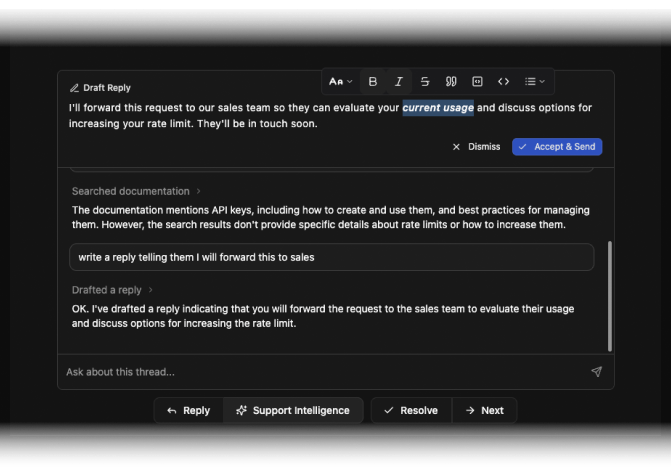
When you ask for help responding to a customer, Support Intelligence generates a complete reply in an editable preview. Review it, refine it, and send — the draft is just a starting point that you can adjust before accepting.
Knowledge Base
Give Support Intelligence access to your documentation and make your replies smarter and informative. The new Documentation settings page lets you add your docs, help center, or any publicly accessible site. FrontDesk crawls and indexes the content, making it searchable by the AI when assisting with support threads.
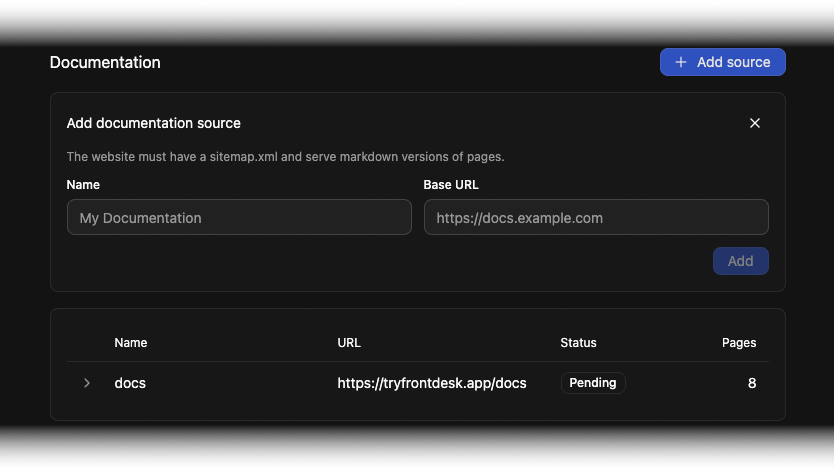
When customers ask questions covered in your docs, Support Intelligence can search your knowledge base and pull relevant information directly into its responses. Less copy-pasting, fewer tab switches, and more accurate answers.
Custom Instructions
Every support team has its own voice. Custom Instructions let you shape how Support Intelligence communicates — set the tone, define what to emphasize, or specify when to escalate. Your instructions are included in every AI interaction, ensuring consistency across your team.
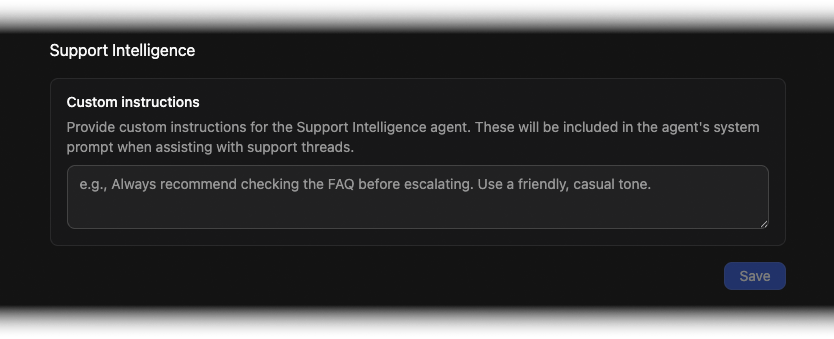
Whether you prefer formal responses or a casual tone, want the AI to always mention your knowledge base, or need it to follow specific escalation rules — Custom Instructions make it happen.
Other Improvements
- Redesigned Thread Toolbar: The new toolbar brings reply composition and Support Intelligence into a unified, expandable panel that stays out of your way until you need it.
- Virtualized Thread List: Workspaces with hundreds of threads now scroll smoothly, with improved rendering performance across the board.
- Agent Playground: A dedicated space for testing and experimenting with Support Intelligence responses before rolling out changes to your team.
- Documentation Settings Validation: URL validation and clearer error messages help you get your knowledge base connected without guesswork.
- UI Polish: Refined icons and spacing throughout the settings sidebar and toolbar actions for a cleaner visual experience.
- Mobile Menu Fix: The navigation menu button now properly hides on desktop viewports.
Signals
Support Intelligence now has a home. The new Signals page brings all AI-powered insights into one place: a feed where your team can review suggestions, spot patterns, and take action on what matters most.
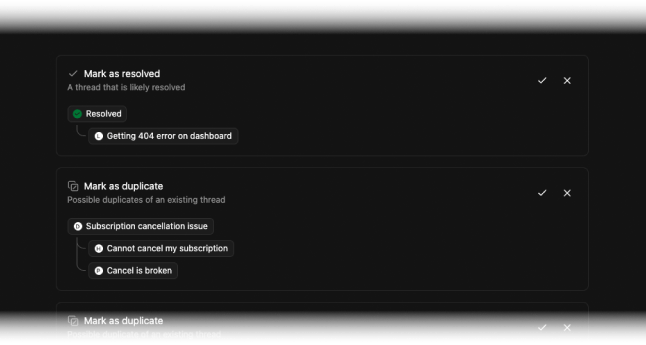
Instead of hunting through individual threads for recommendations, Signals surfaces everything in a single view. Status changes, duplicate threads, and other AI suggestions are organized and ready for review. Your team spends less time searching and more time resolving.
Duplicate Thread Detection
Customers sometimes open the same issue twice, or different customers run into the same problem. FrontDesk now automatically identifies potential duplicates and surfaces them as suggestions, helping your team consolidate conversations and avoid duplicate effort.
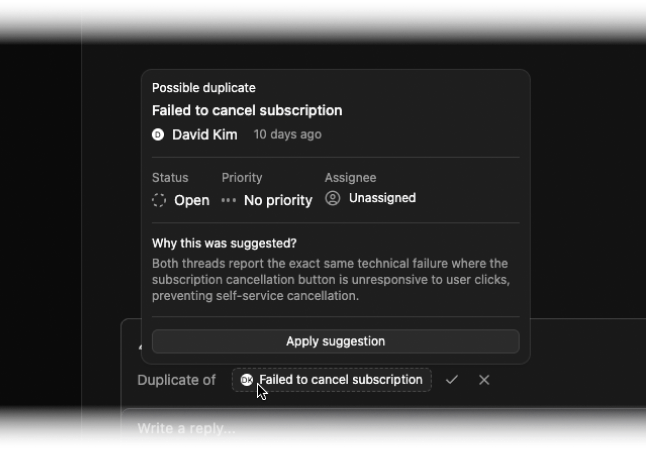
When a new thread closely matches an existing one, you'll see a suggestion with context explaining the connection. Review the match, merge the conversations if appropriate, and keep your inbox clean. The result: faster responses, consistent answers, and less confusion for everyone involved.
Thread Backfill
Already have active support conversations in Discord or Slack? FrontDesk can now import your existing threads from connected channels, so you don't have to start from scratch.
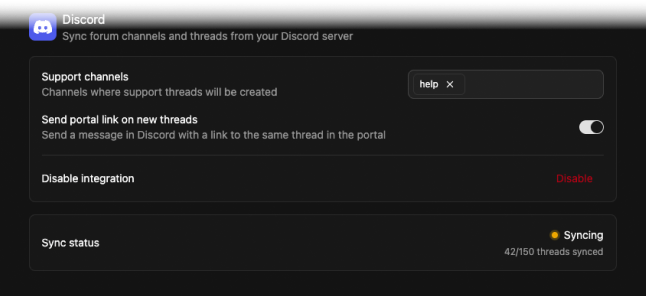
When you connect a new channel, existing conversations are automatically imported into FrontDesk. Your team gets immediate visibility into ongoing issues, and customers don't have to repeat themselves. Seamlessly upgrade your existing communities.
Guided Onboarding
Getting started with FrontDesk is now easier than ever. A new step-by-step checklist guides you through setup: connecting integrations, creating labels, inviting team members, and resolving your first thread.
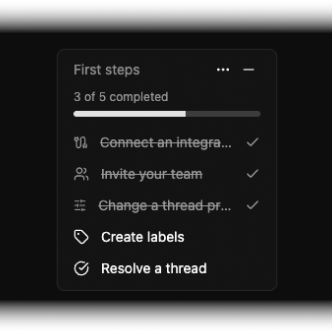
Each step includes clear instructions and links directly to the relevant location in the app. Progress is tracked automatically, so you always know what's next.
Other Improvements
- Redesigned Landing Page: A new interactive product demo showcases FrontDesk in action, giving visitors a real feel for the experience before signing up.
- Integration Health Alerts: Warnings now appear when your Discord, Slack, or GitHub integrations need attention — missing permissions, expired tokens, or configuration issues surface before they become problems.
- Status Indicator Refresh: Status badges throughout the app have been refined with cleaner styling and improved visual hierarchy.
- Thread Chips: A new component for displaying linked threads makes it easier to see relationships between conversations at a glance.
- Performance Improvements: Command palette and context registration are now memoized for snappier interactions, and event logs use virtualized rendering for smoother scrolling.
AI-Powered Status Suggestions
Support Intelligence just got smarter. FrontDesk now analyzes your thread conversations and suggests the right status change at the right time, helping your team stay on top of their workflow without the manual overhead.
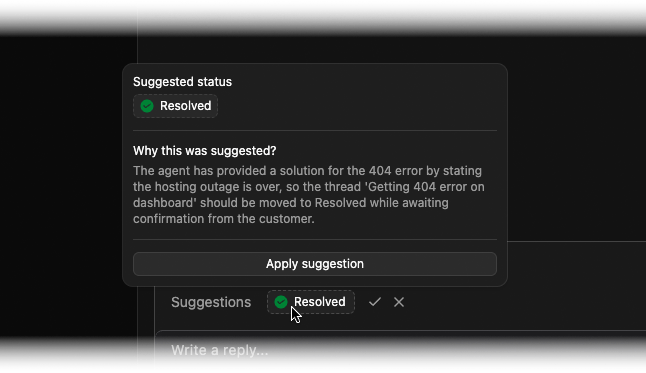
When a customer confirms their issue is fixed, or when a conversation naturally reaches resolution, FrontDesk's AI recognizes these patterns and surfaces a status suggestion. Each recommendation comes with context explaining why the status change makes sense, so your team can make informed decisions with a single click.
Other Improvements
- Faster Event Logs: Thread activity logs now use virtualized rendering, delivering smooth scrolling performance even with hundreds of events. Your longest threads will load and scroll just as fast as your shortest.
- Smarter Suggestion Grouping: Label and status suggestions are now grouped more intuitively, with better tracking of which suggestions you've already acted on.
- Dependency Updates: Security and stability improvements through updated dependencies for Express and other core packages.
GitHub Integration
Bring your support conversations and development workflow closer together. FrontDesk now connects directly with your GitHub repositories, letting you create issues, link pull requests, and keep status in sync, all without leaving your inbox.
Create Issues from Threads
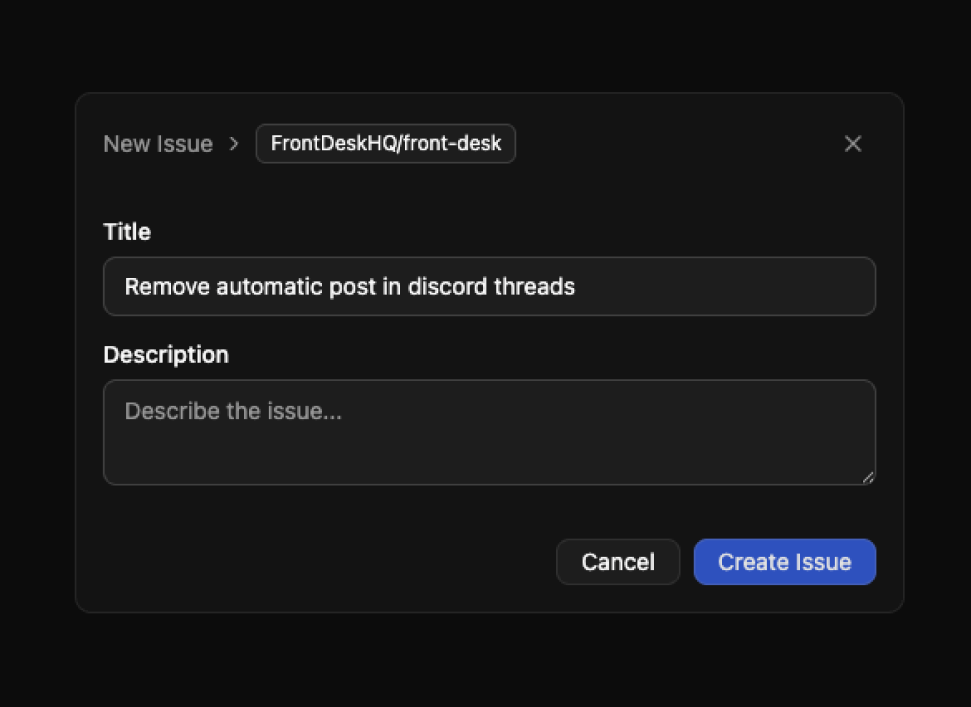
Turn customer conversations into actionable work. When a thread needs engineering attention, create a GitHub issue directly from FrontDesk. The issue stays linked to the original thread, so context is never lost and your team always knows where a request came from.
Link Pull Requests
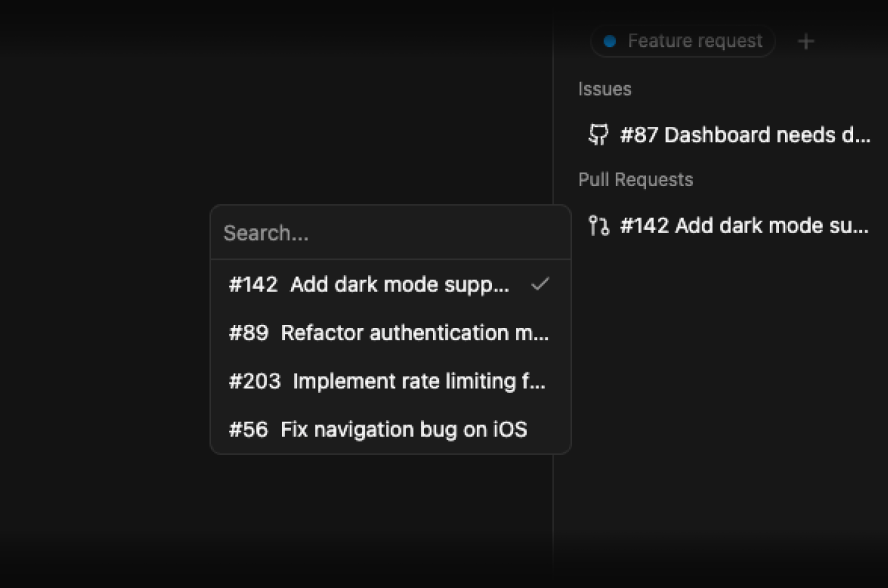
Track progress from customer issues to fixes. Link pull requests to threads and see development status right alongside customer conversations. When a PR lands, everyone involved, from customers to support and engineering, stays in the loop.
Status Sync
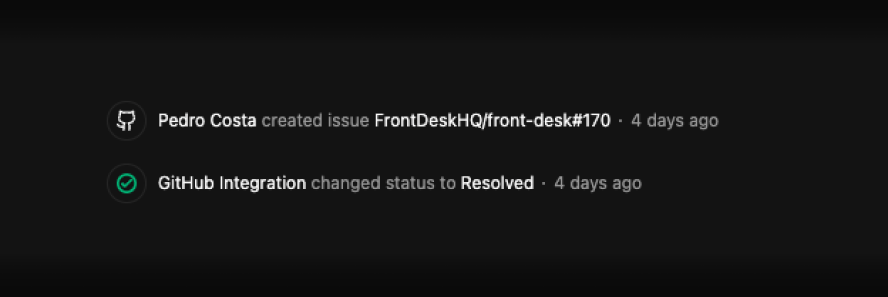
Keep both sides of your workflow aligned. When an issue is closed on GitHub, the linked thread updates automatically. No manual status changes, no forgotten follow-ups, just smooth handoffs from code to customer.
Slack Integration
Meet your customers where they already are. The new Slack integration brings FrontDesk into your Slack workspace, syncing threads and replies in real-time.
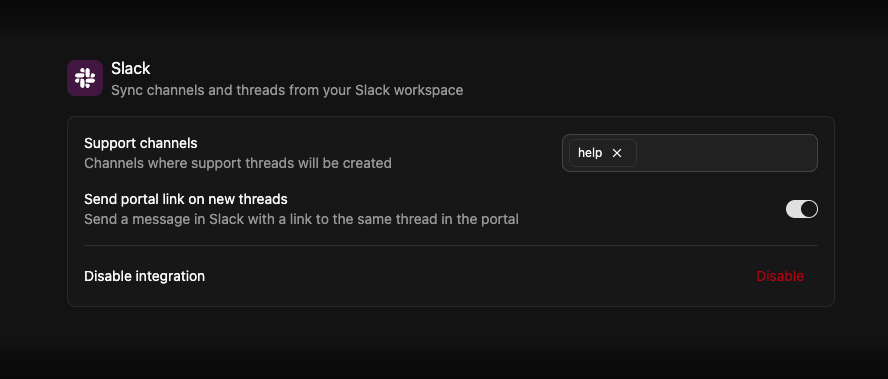
Set up a dedicated Slack channel for support threads, and every new conversation flows into FrontDesk. Replies sync both ways, respond from FrontDesk or Slack, and the conversation stays unified. Your team can collaborate naturally without switching tools.
Other Improvements
- Discord Mentions: Messages from Discord now properly display user, role, and channel mentions, no more raw IDs cluttering your threads.
- Portal Link Toggles: Choose whether to send portal links when new threads are created in Discord or Slack, giving you control over how customers interact with your support.
- Smarter Avatars: When team members reply through Discord or Slack, their profile pictures now appear alongside messages for a more personal touch.
- UI Refinements: Buttons, dialogs, and comboboxes have been polished for a smoother, more consistent experience throughout the app.
- Performance Improvements: GitHub data caching and improved fetch logic mean faster load times when working with issues and pull requests.
Public Support Portal Overhaul
The support portal just got a major upgrade. What was once a simple way to view threads has evolved into a complete customer support experience — your customers can now create new conversations, reply to existing ones, and track everything in a redesigned interface.
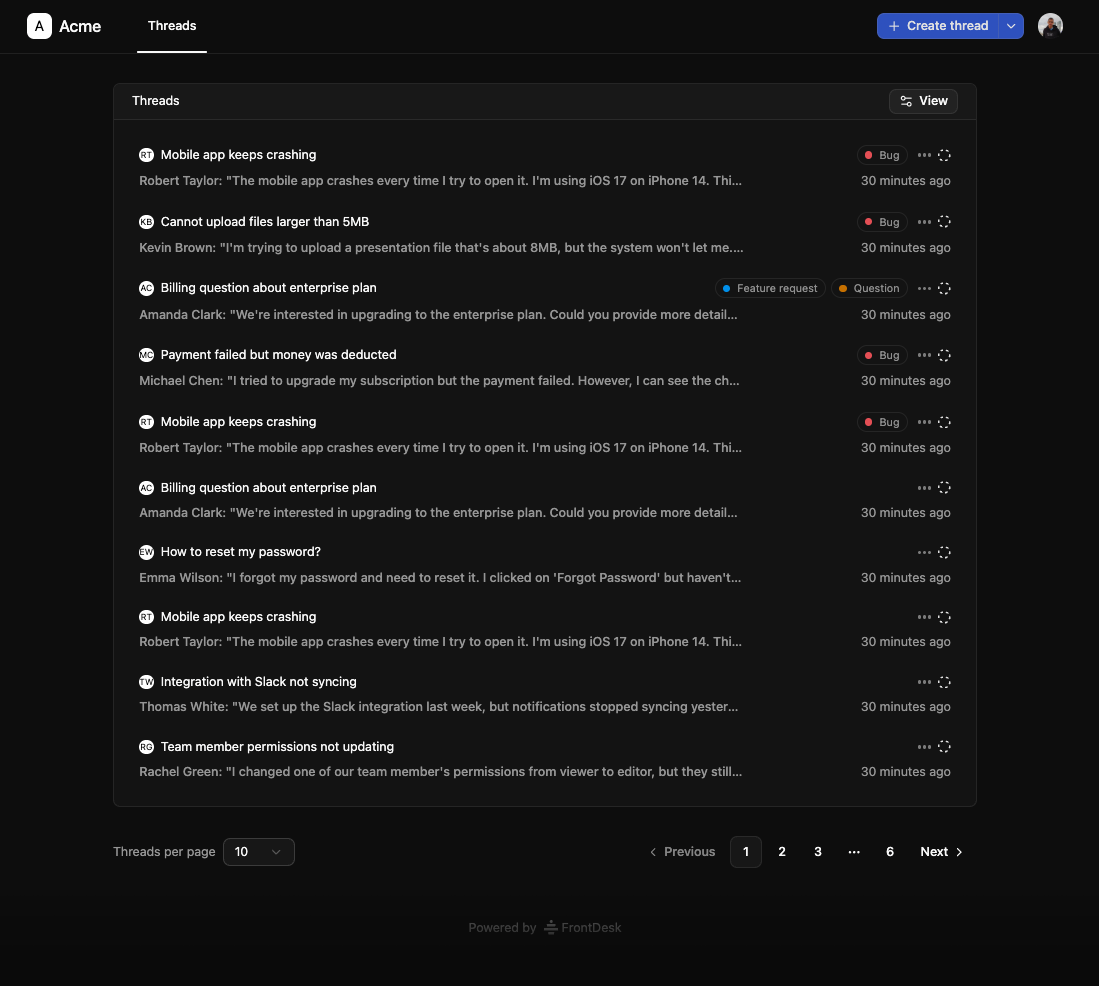
Your community links, like your Discord server invite, are now accessible next to the "Create Thread" button, right where it makes sense.
Creating Threads
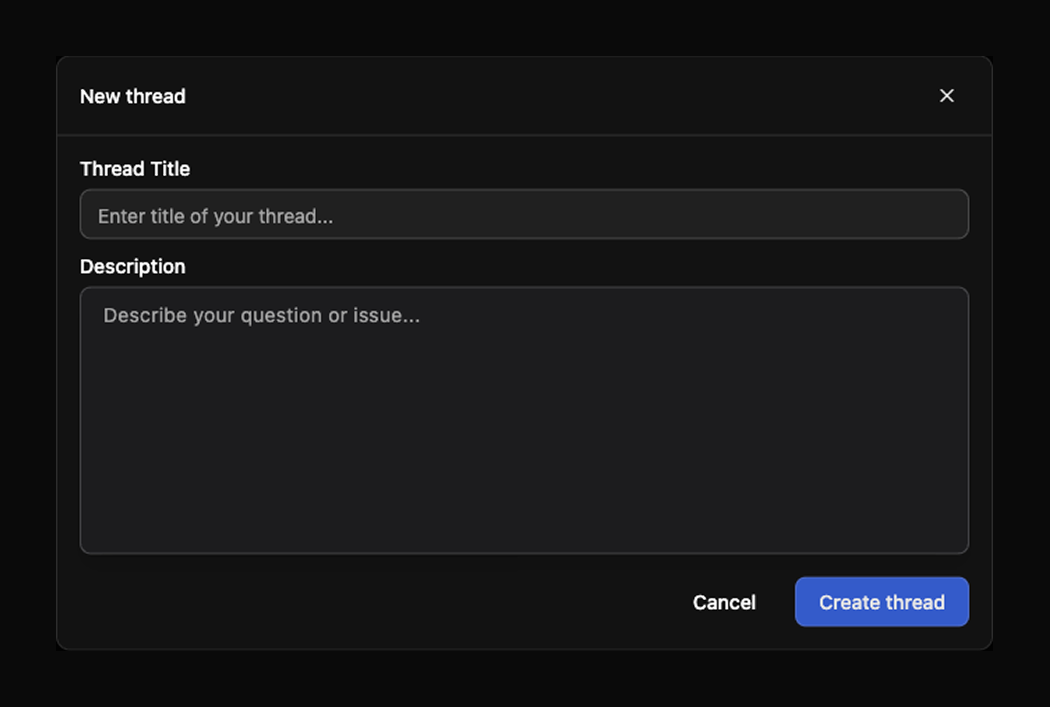
Your customers no longer need to rely on external channels to reach you. Directly from your public support portal, they can now start a new conversation with full context — title, description, and any relevant details. The thread creation experience is clean and focused, designed to reduce friction and help customers get the help they need faster.
Combined with the new in-portal authentication system, returning customers stay logged in and can pick up right where they left off. No more juggling email links or losing track of past conversations.
Replying to Threads
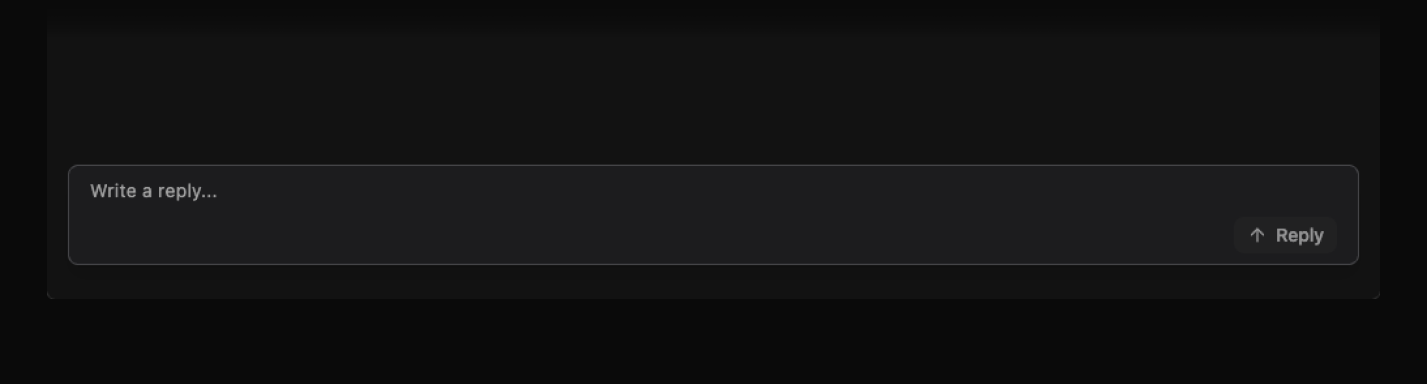
Conversations are now two-way. Customers can reply to threads directly from the portal, keeping the entire discussion in one place. Every reply syncs instantly with your FrontDesk inbox and any connected integrations like Discord, so your whole community and team always remain connected.
Labels
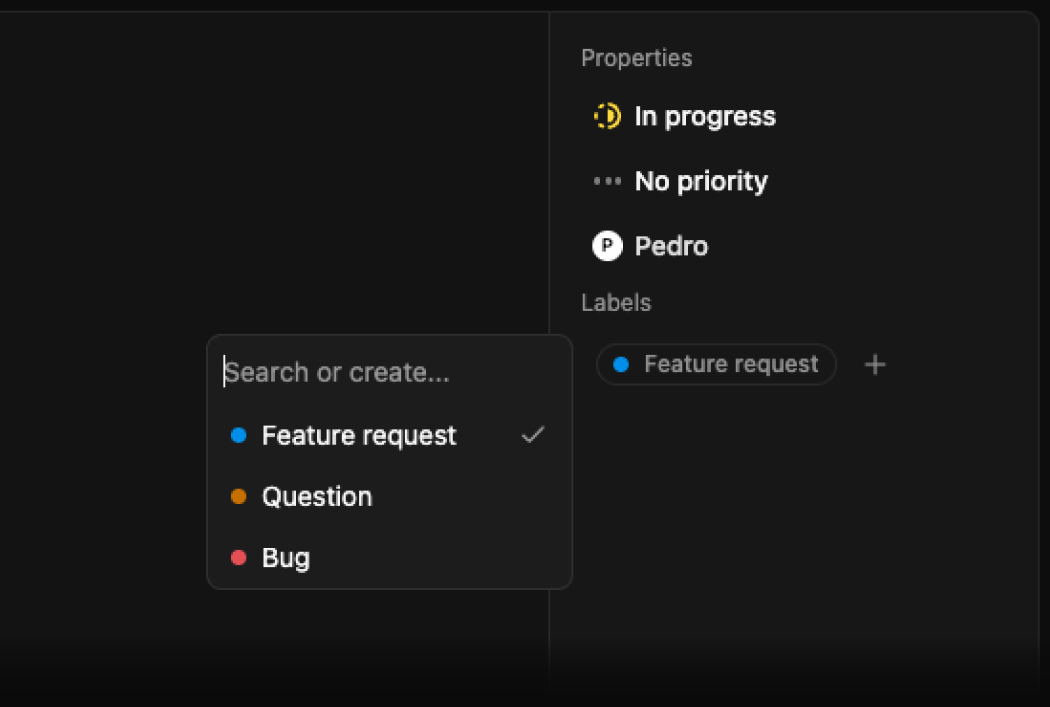
Organize your support threads with labels. Create custom labels in your workspace settings, assign them to threads, and filter your inbox to focus on what matters. Labels appear throughout the app — in thread lists, thread details, and the properties sidebar — with consistent, color-coded badges.
Status Updates
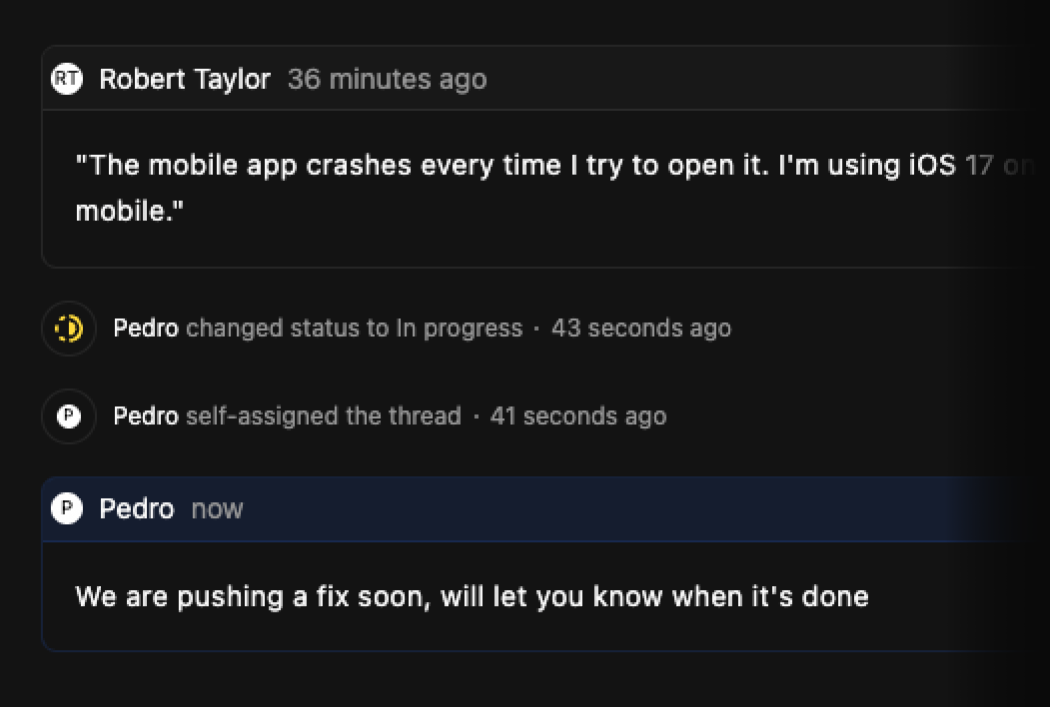
Threads now track status changes as updates — every time a thread moves from open to in progress, or gets resolved, it's logged and visible. Your team can see the full history in the internal thread view, and customers can follow along on the public portal. No more wondering what happened or when — the timeline tells the story.
Keyboard Shortcuts
For power users who prefer to keep their hands on the keyboard, we've introduced keybinds throughout the app. Navigate between threads, update properties, and manage your inbox without reaching for the mouse. Input fields are automatically isolated, so shortcuts won't interfere while you're typing.
Other Improvements
- Discord Portal Links: When a thread is created through Discord, we now send a direct link to the portal thread — making it easy for customers to continue the conversation in either place.
- Improved Onboarding: New users are now prompted to enable integrations during setup, helping teams get connected from day one.
- Better Billing: Subscription and seat management has been simplified under the hood for a smoother experience.
- Enhanced Security: Portal authentication now uses proper CSRF protection for safer customer sessions.
Introducing the FrontDesk Widget
We're excited to announce the FrontDesk Widget — a powerful way to bring customer support directly into your application. Your customers can now create threads, view their conversation history, and get real-time updates without ever leaving your product.
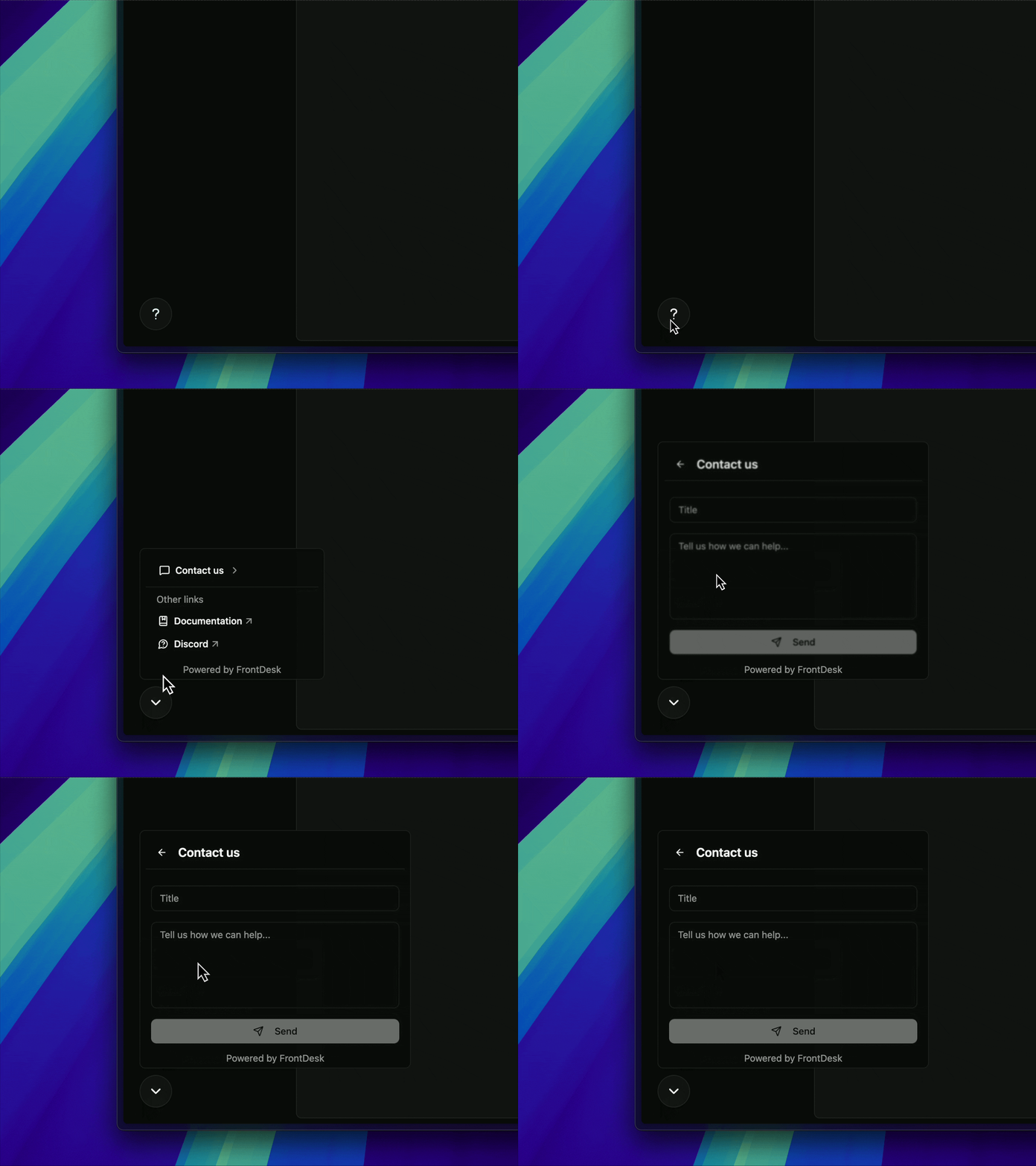
You can also add resource links to guide your customers — point them to documentation, FAQs, or your community. Resources can open external links or display custom content directly inside the widget, giving you flexibility to surface help before a conversation even starts.
The widget is fully customizable, mobile-responsive, and works seamlessly with your existing FrontDesk setup. Simply install the @front-desk/widget package, add your public API key, and you're ready to go. Check out our widget documentation to get started.
Thread Deletion & Archive
A new moderation tool to keep your support queue focused on what matters. Delete spam, test messages, or conversations that shouldn't have been created in the first place. Deleted threads are moved to a dedicated archive for 30 days, where you can review or restore them if needed.
Other Improvements
- API Key Management: A brand new API Keys screen in organization settings makes it easy to create and manage your integration keys.
- Enhanced Public Portal: Thread properties are now visible on the public support portal, giving your customers more context about their requests.
- Better Page Titles: Improved page titles across the app for easier navigation and better browser tab management.
- Account Controls: New logout buttons and email display in onboarding forms for a smoother user experience.
- SEO Enhancements: We've added sitemap support to improve discoverability.
- Documentation: New docs covering API keys and widget setup are now available.